Removing the Busywork from Meal Planning.
UI/UX, web DESIGN, AI CONCEPT
Meal planning is hard work! Not only do you have to find recipes that you or your family likes you then have to go through add each individual item to a shopping cart. If you are on a budget or price-conscious you may even add all the items to multiple stores carts to find the best price. This all takes up an incredible amount of time and you may even be tempted to order one of those food delivery in a box services but they are expensive and the recipe choices get monotonous very quickly.
This sort of repetitive task sounds like the perfect use case for an AI agent that can handle it for you so you can get back to the fun stuff; like cooking and that painting class you keep wanting to take. And now you can... introducing Grocerly.
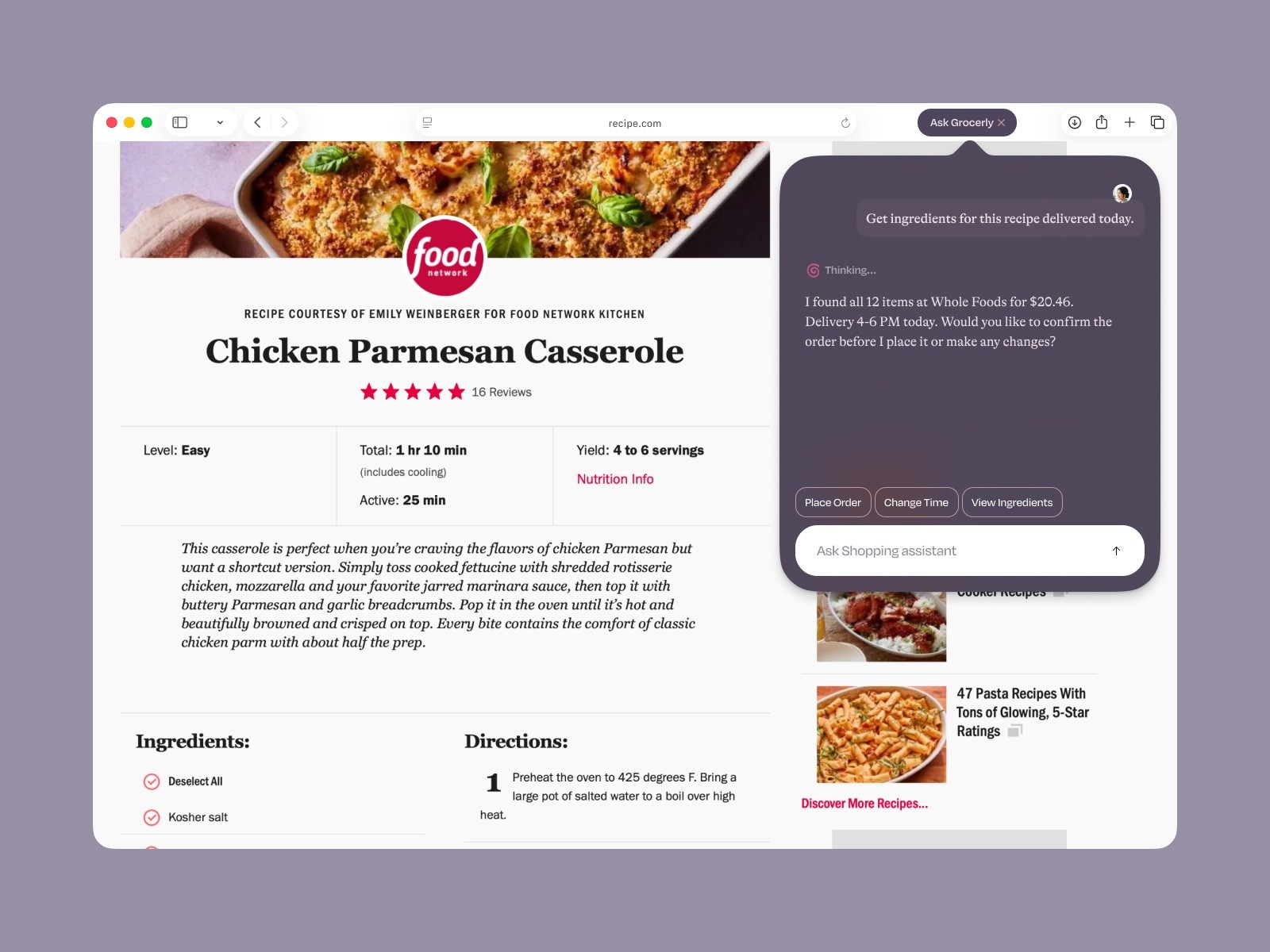
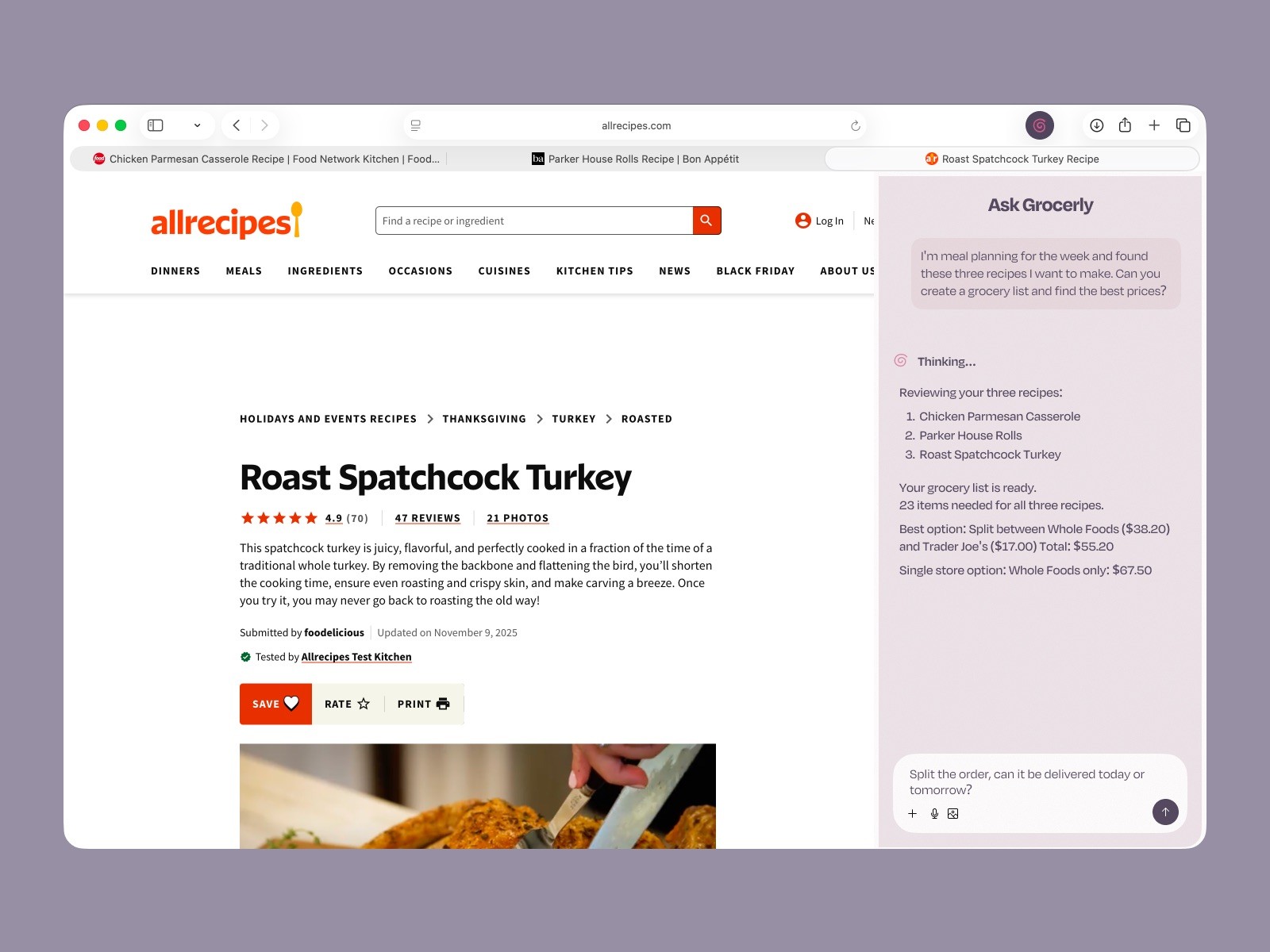
Explored two interaction models for invoking the AI grocery assistant
Variant A — Floating Modal (Dark)
• Overlays the recipe content
• Triggered intentionally, dismissed when done
• Optimized for fast, transactional actions
• Feels like an “assistant on demand”
Variant B — Persistent Sidebar (Light)
• Docked to the right side of the browser
• Always visible alongside the recipe
• Optimized for longer, multi-step planning conversations
• Feels like an “agent working in parallel”
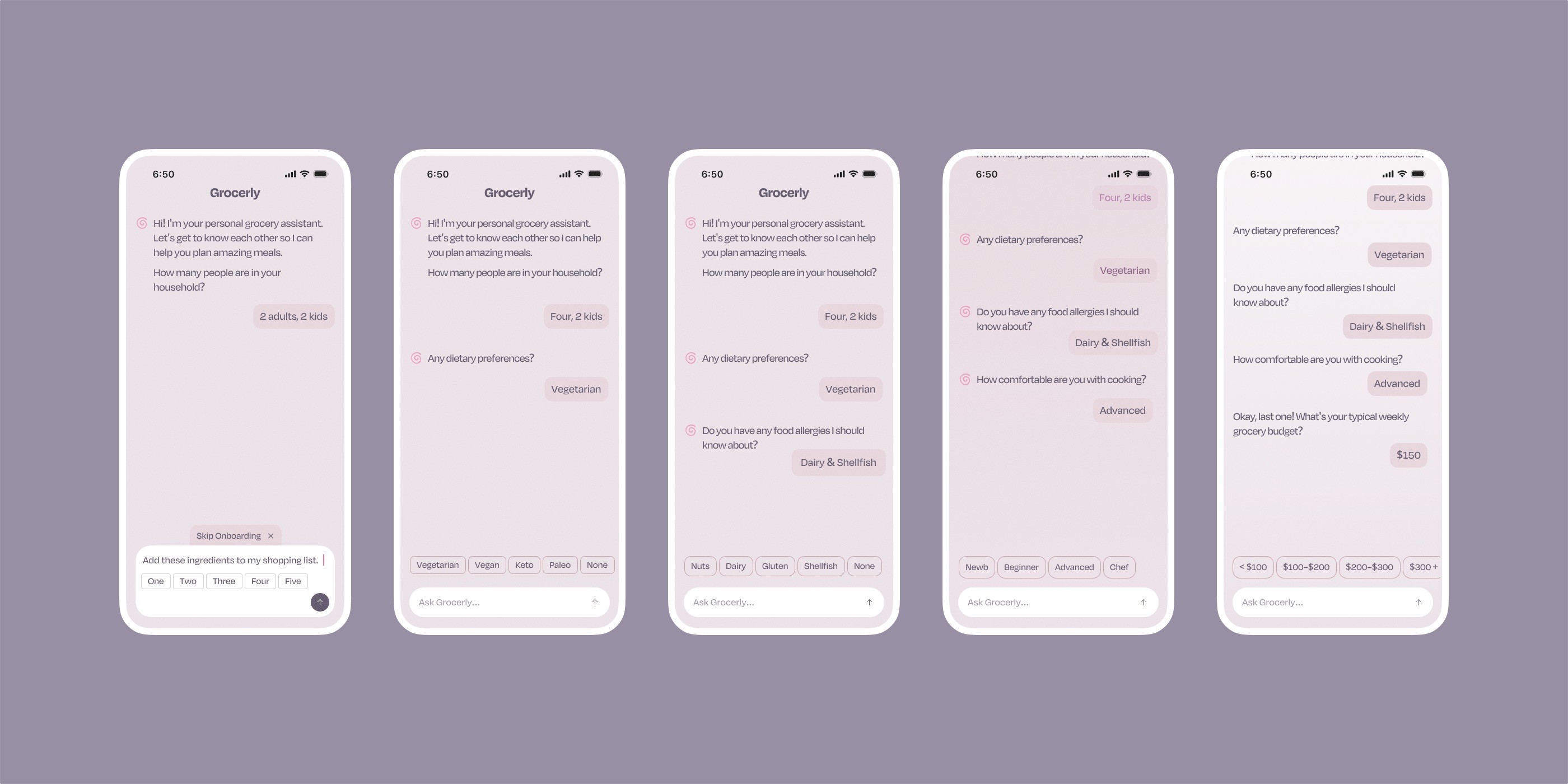
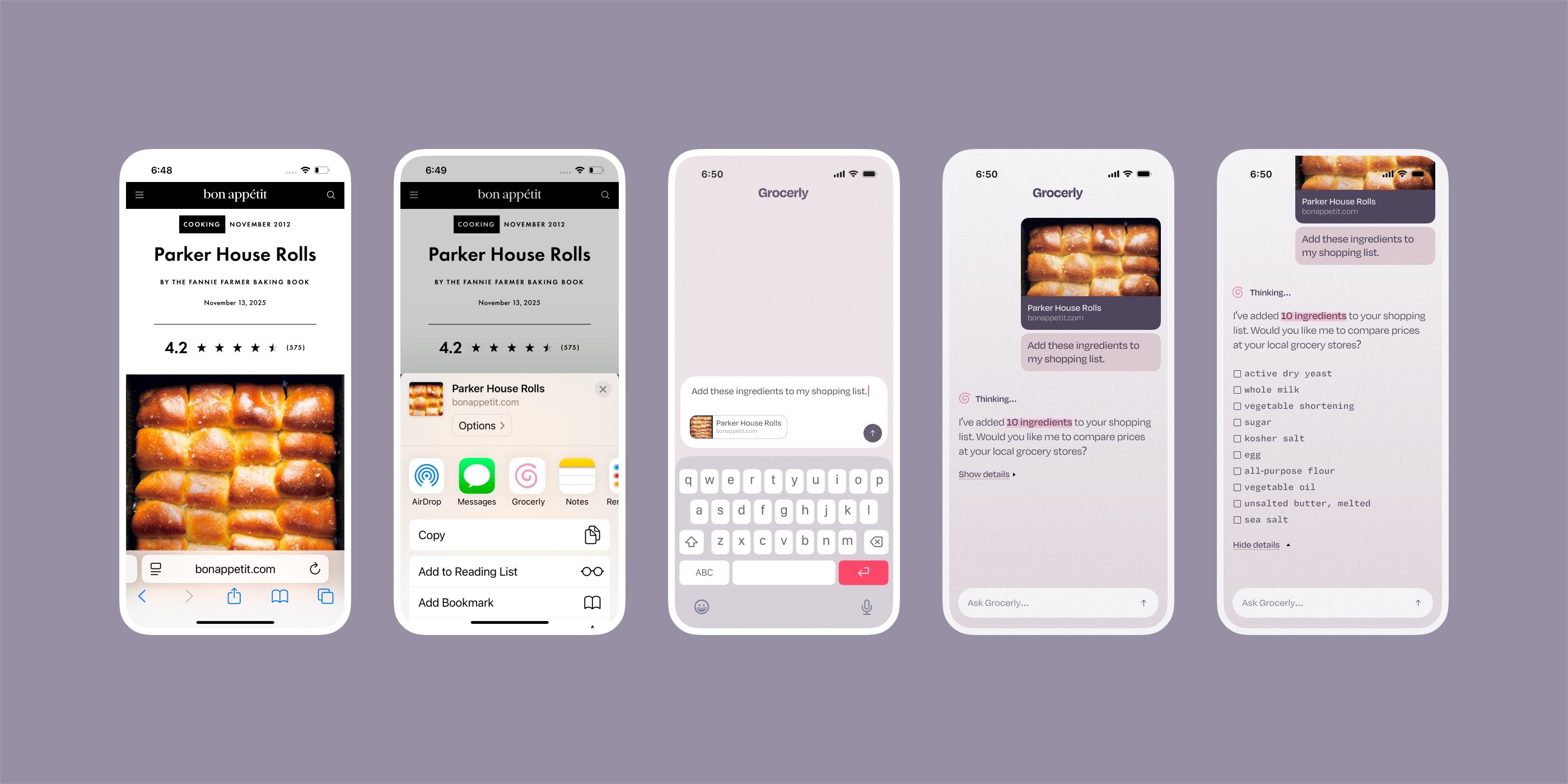
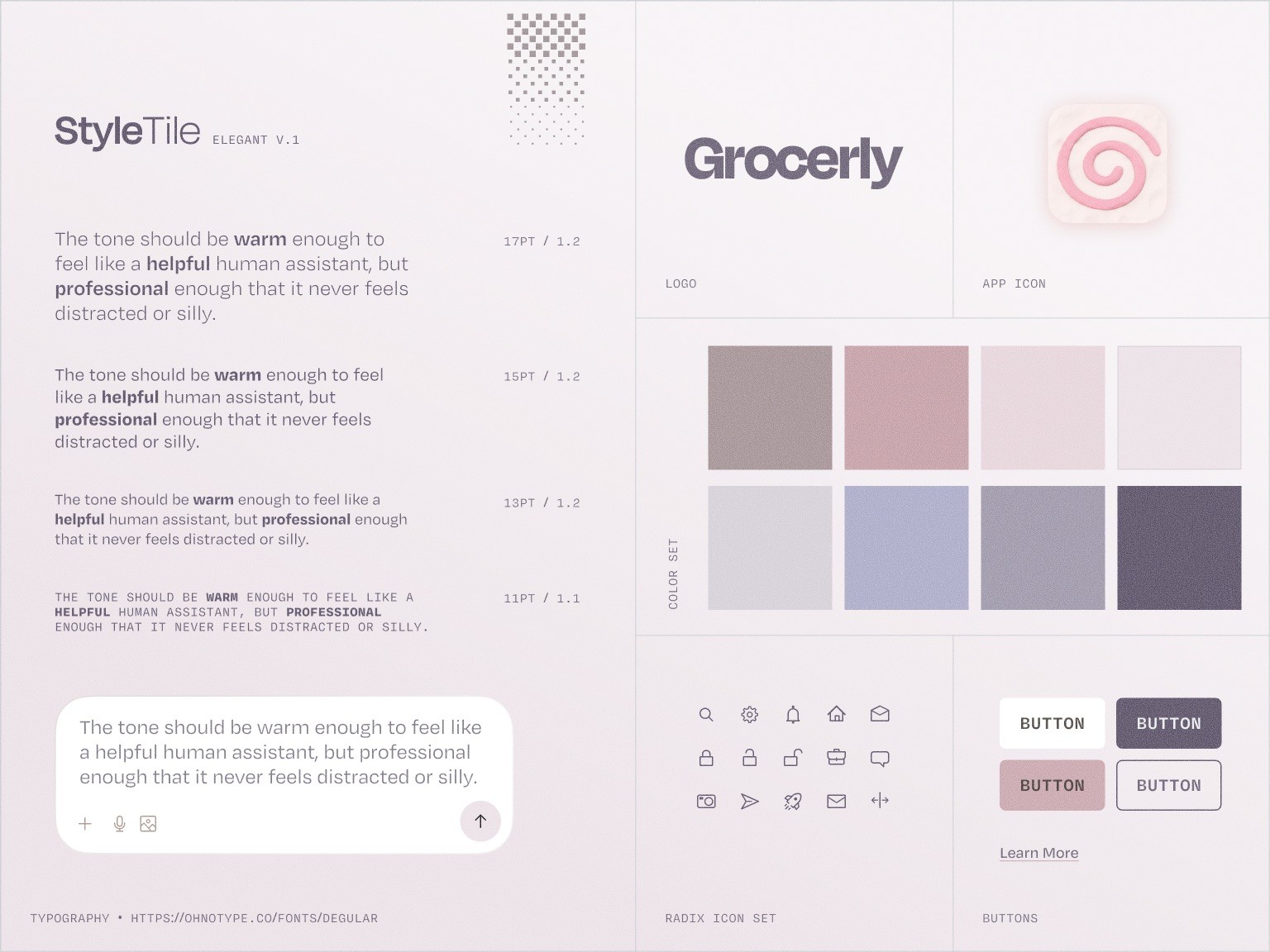
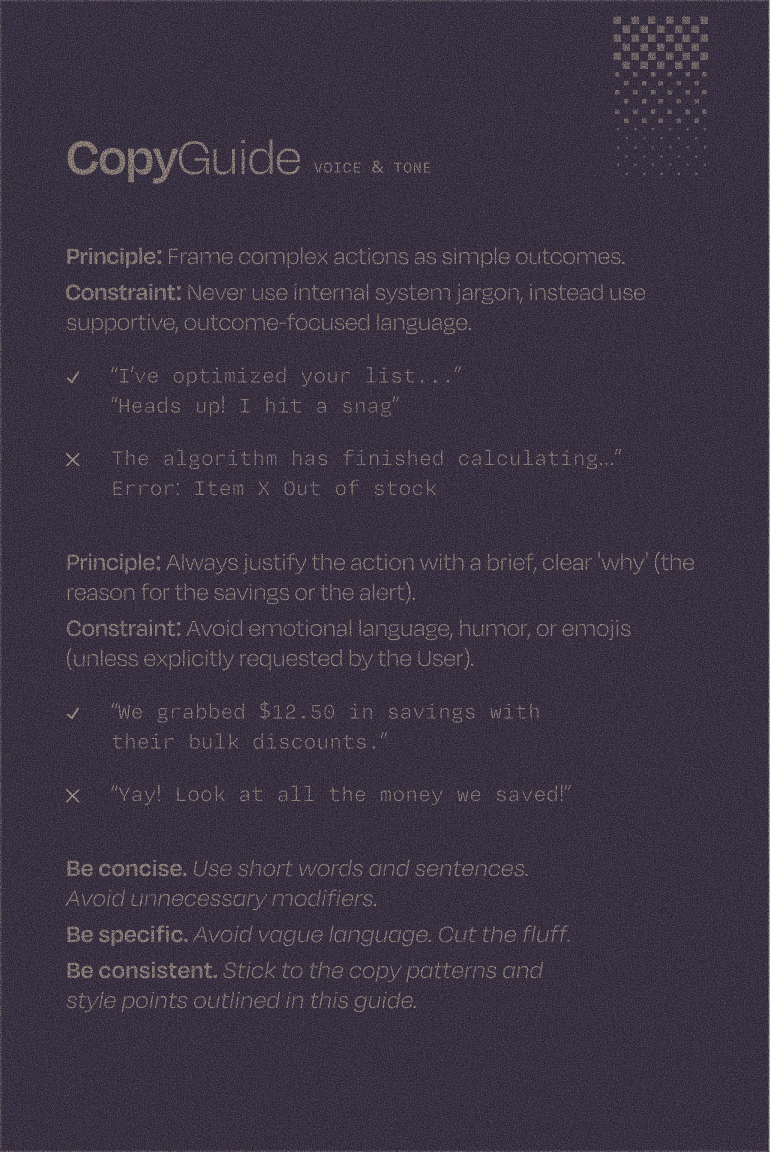
Alongside the visual style guide, I created a copy and conversation guide to shape the AI’s voice, tone, and response patterns — ensuring interactions felt natural, supportive, and consistent rather than scripted.